ChatGPT-4o
Cinematic
Published Oct 31, 2026
GPT Image 2 Colored Pencil Illustration Prompt
A prompt to transform an uploaded photo into a hand-drawn colored-pencil illustration while preserving composition. - YouMind
Ai Prompt Labs
@admin • Prompt Engineer
Prompt Instruction Payload
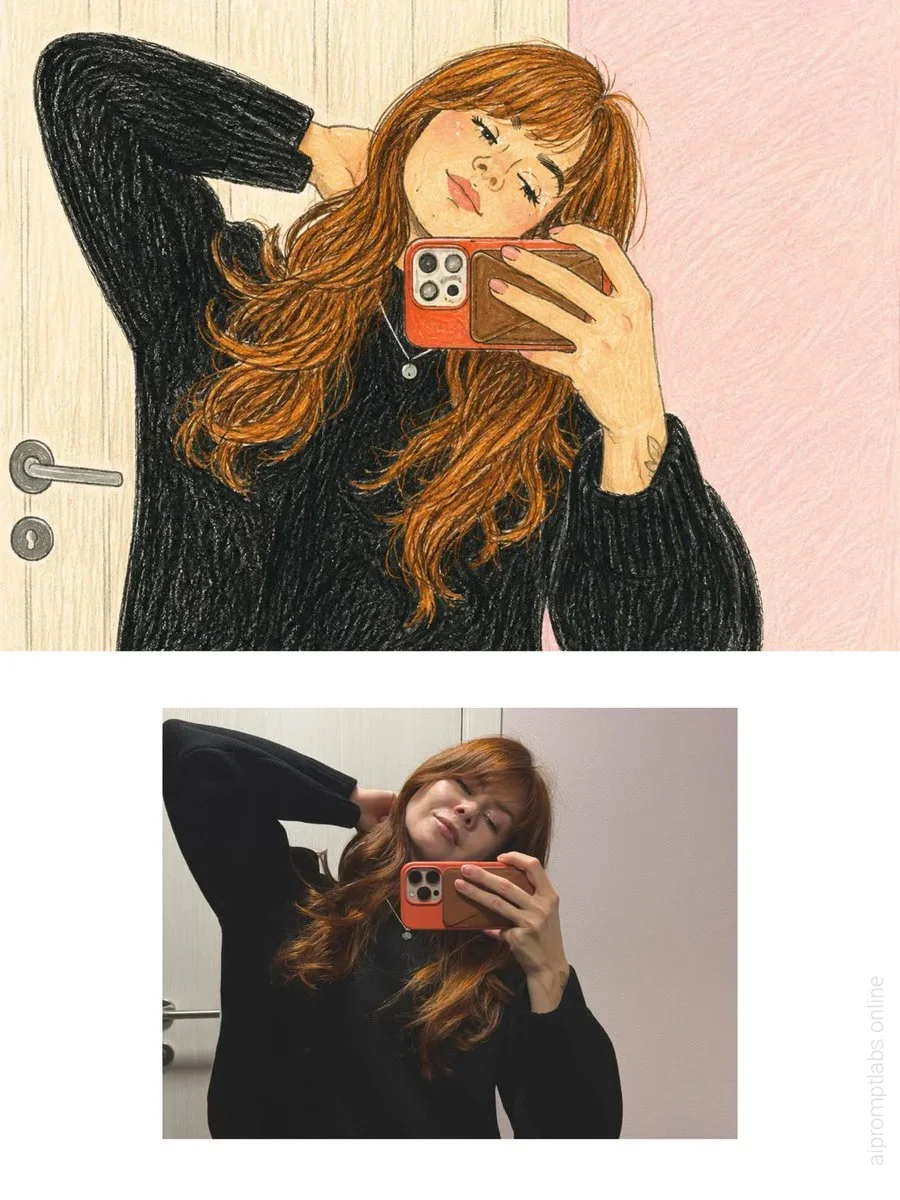
Transform the uploaded photograph into a beautiful, hand-drawn colored-pencil illustration while preserving the original photograph's exact content, composition, and emotional atmosphere.
1. REFERENCE IMAGE ACCURACY
Carefully analyze the uploaded photograph, including the subject's identity, facial features, hairstyle, expression, pose, clothing, accessories, body proportions, surrounding objects, background, camera angle, perspective, lighting, and small distinctive details.
Recreate the same scene as an illustrated drawing. Preserve the recognizable appearance of the original subject and the exact arrangement of the scene. Do not change the pose, invent new objects, remove important details, or alter the original environment.
2. ART STYLE
Use a traditional colored-pencil and wax-crayon illustration style, resembling a beautiful drawing made by hand on textured cream-colored sketchbook paper.
Include:
- Visible colored-pencil strokes and delicate crosshatching.
- Soft, imperfect hand-drawn outlines.
- Layered pencil shading with natural variations in pressure.
- Fine paper grain and subtle crayon texture.
- Warm, muted colors with gentle pastel undertones.
- Slightly sketchy contours and charming handmade imperfections.
- Natural color blending without smooth digital gradients.
- Detailed hair rendered with individual flowing pencil strokes.
- Expressive facial details with simplified yet recognizable features.
- Soft shadows created through layered pencil strokes rather than photographic shading.
3. COLOR PALETTE
Use a warm, nostalgic palette featuring creamy beige, dusty pink, muted brown, warm caramel, charcoal black, soft gray, and subtle earthy colors. Match the original photograph's actual colors while translating them into a traditional illustration medium.
4. BACKGROUND AND ENVIRONMENT
Recreate the original background faithfully, including furniture, doors, walls, streets, sidewalks, railings, plants, pets, buildings, and other visible elements.
Render background details with loose but intentional pencil strokes. Maintain the original depth, perspective, and spatial relationships while giving the entire scene a cohesive, hand-illustrated appearance.
5. LIGHTING AND MOOD
Preserve the original lighting direction and overall atmosphere. Create a cozy, intimate, nostalgic feeling, as if the moment were captured in a personal illustrated diary or a page from an artist's sketchbook.
6. FINAL FINISH
The entire image must look genuinely hand-drawn using colored pencils on textured paper, NOT like a photograph with an artistic filter.
Maintain the original aspect ratio and composition. Use fine illustrative details, organic linework, visible pencil grain, gentle imperfections, and consistent hand-drawn textures throughout the image.
IMPORTANT: The uploaded photograph is the sole reference for the scene. Preserve its identity, pose, objects, and composition. Transform only the visual medium into a traditional illustration.
Insert discreet watermark in the lower right corner of the image, vertical text (rotated 90°), written "aipromptlabs.online", Calibri Light font, white color with low opacity (semi-transparent), medium size. Extreme sharpness on the face, fabric texture and typography of the letters. Shot on Canon EOS R5, 50mm f/2.8, studio light.
Usage Instructions & Parameters
Run prompt with modern generative AI model. Adjust details and styling to taste.